See the panel before you book a demo
No account, no scheduling, no salesperson on the line. Click through the screens HR actually uses - and judge for yourself.
6 screens · demo data · takes 2 minutes
HR panel view · data is illustrative
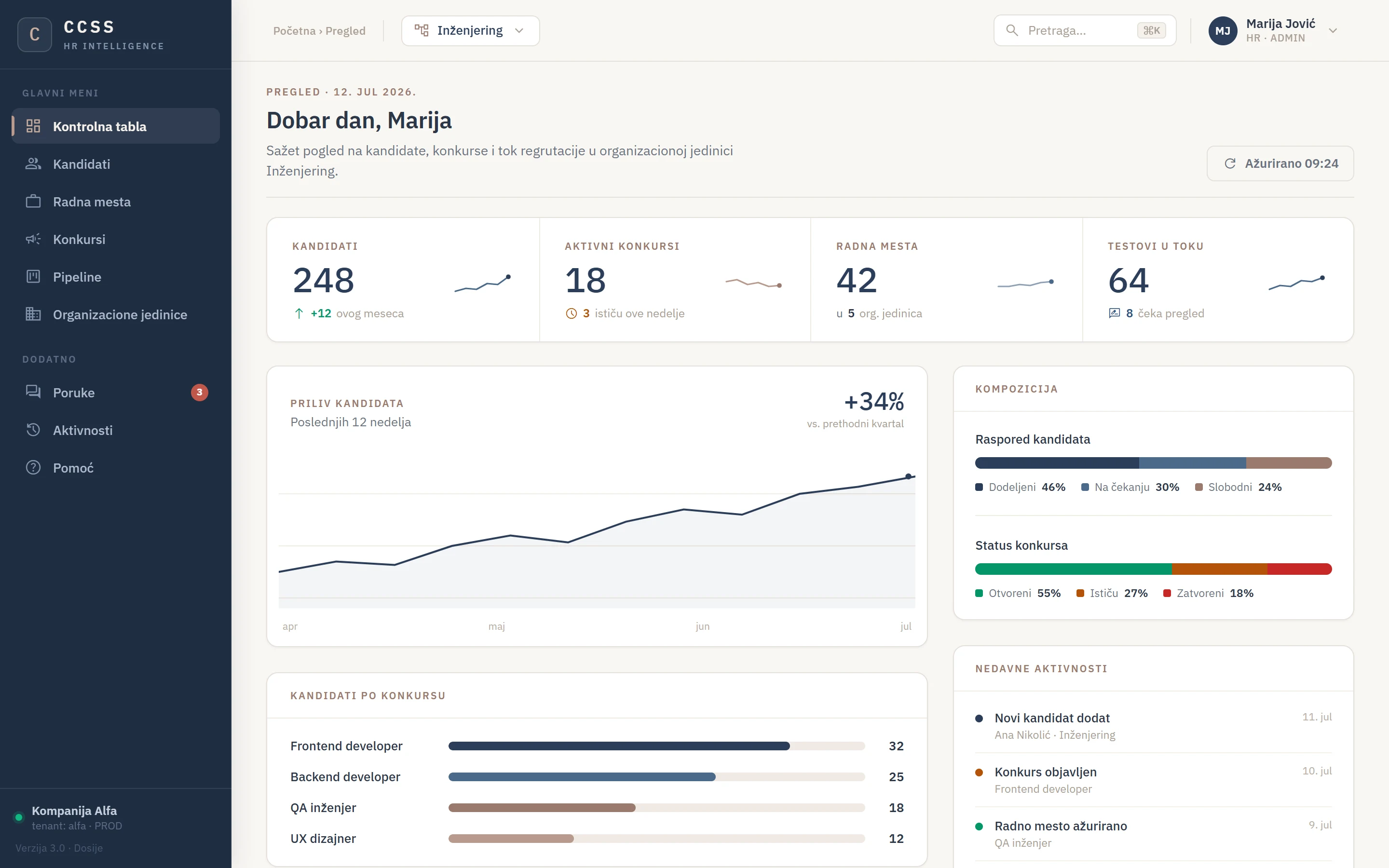
How many candidates are in the system, which vacancies close this week, what is waiting for your review. No digging through tables.
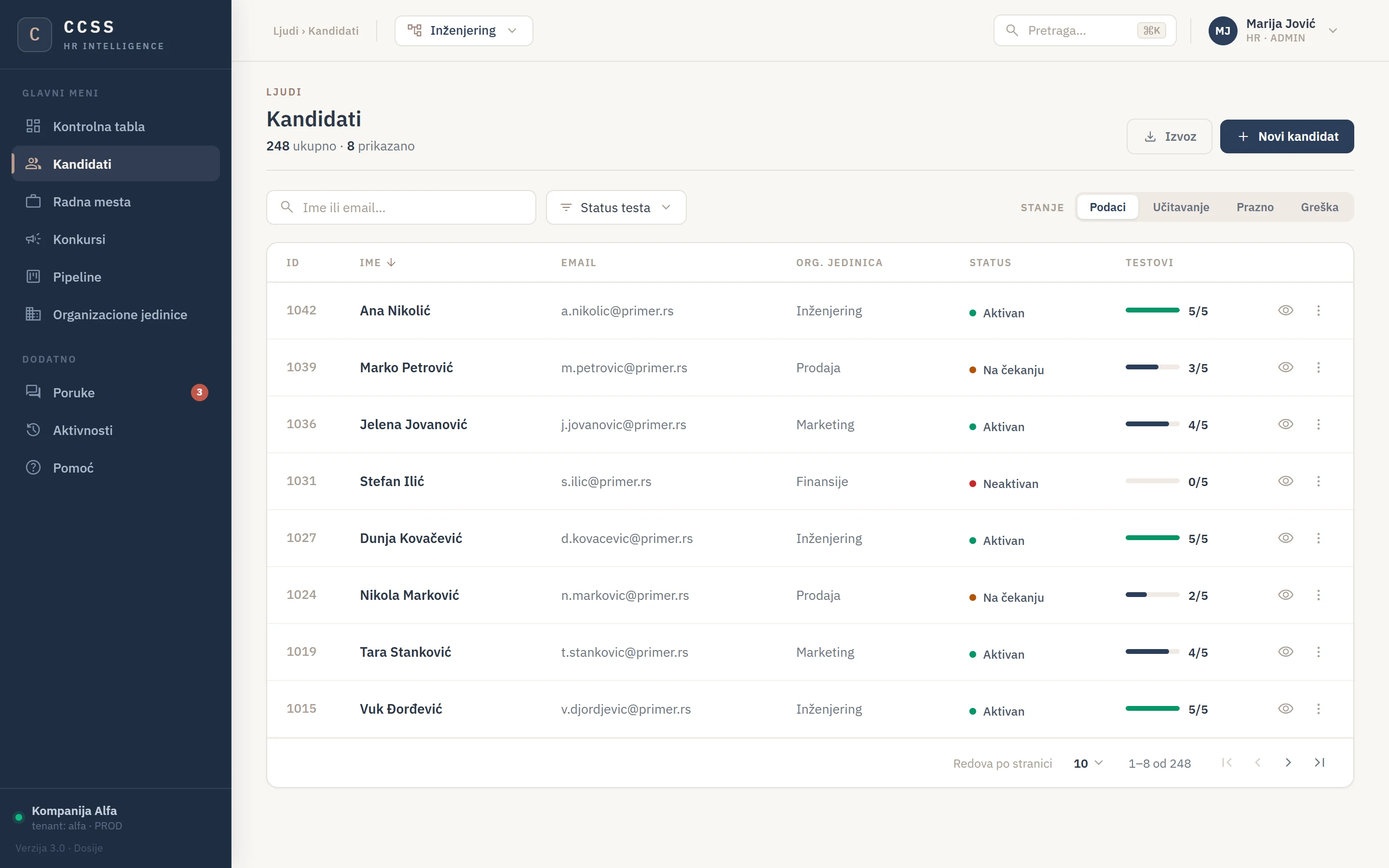
Name, org unit, status and testing progress - how many tests are done and how many are still in progress. Filter, sort, export.
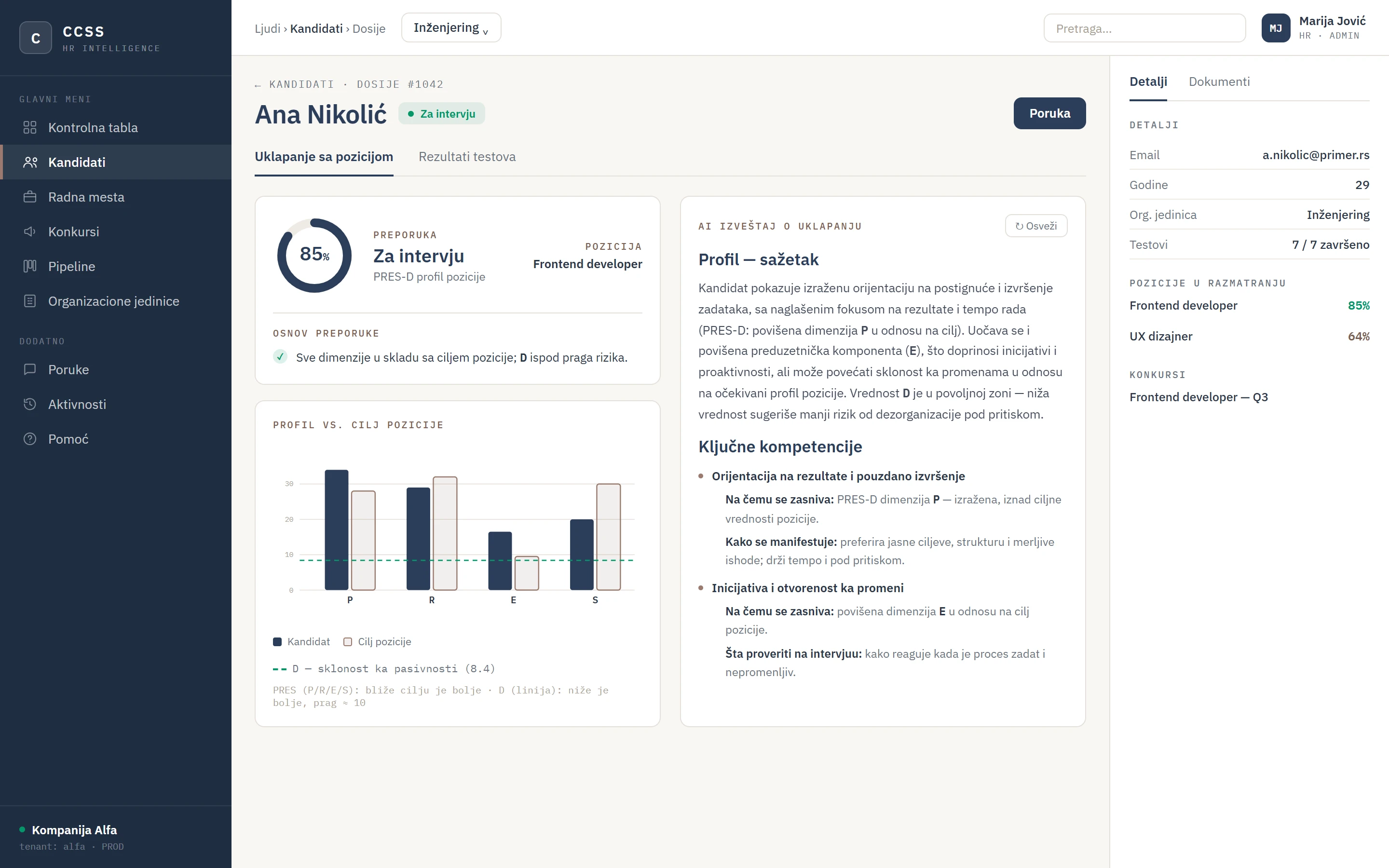
The recommendation and the basis it stands on, the candidate profile against the role target (PRES-D), and an AI report explaining what the number means - and what to check at interview.
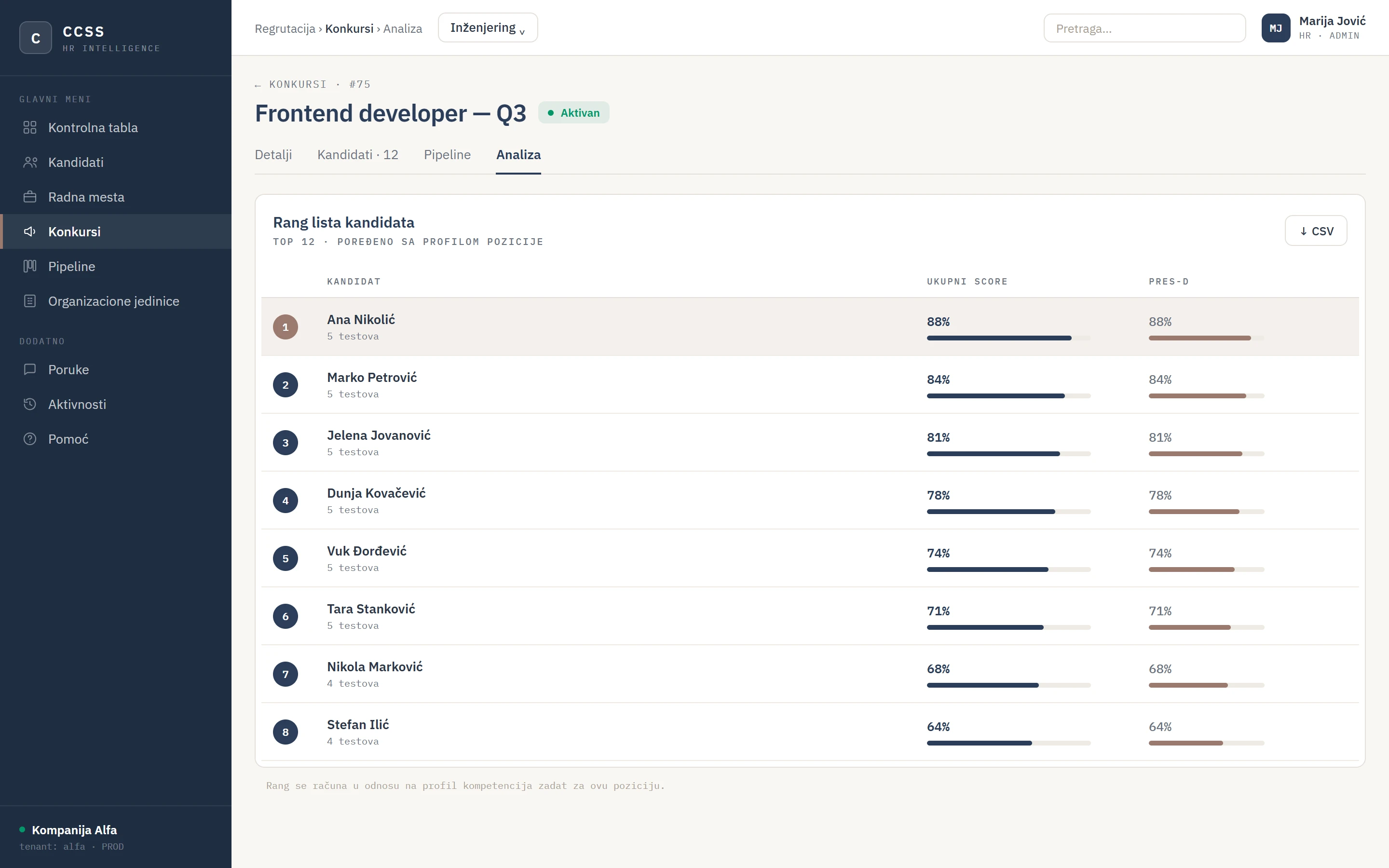
Every candidate for a vacancy, ranked by fit with the role profile - a profile you define, not us. This is the difference between a pile of results and a decision, with CSV export.
CCSS does not make hiring decisions - the ranked list is decision support, and the decision is made by the organization running the selection.
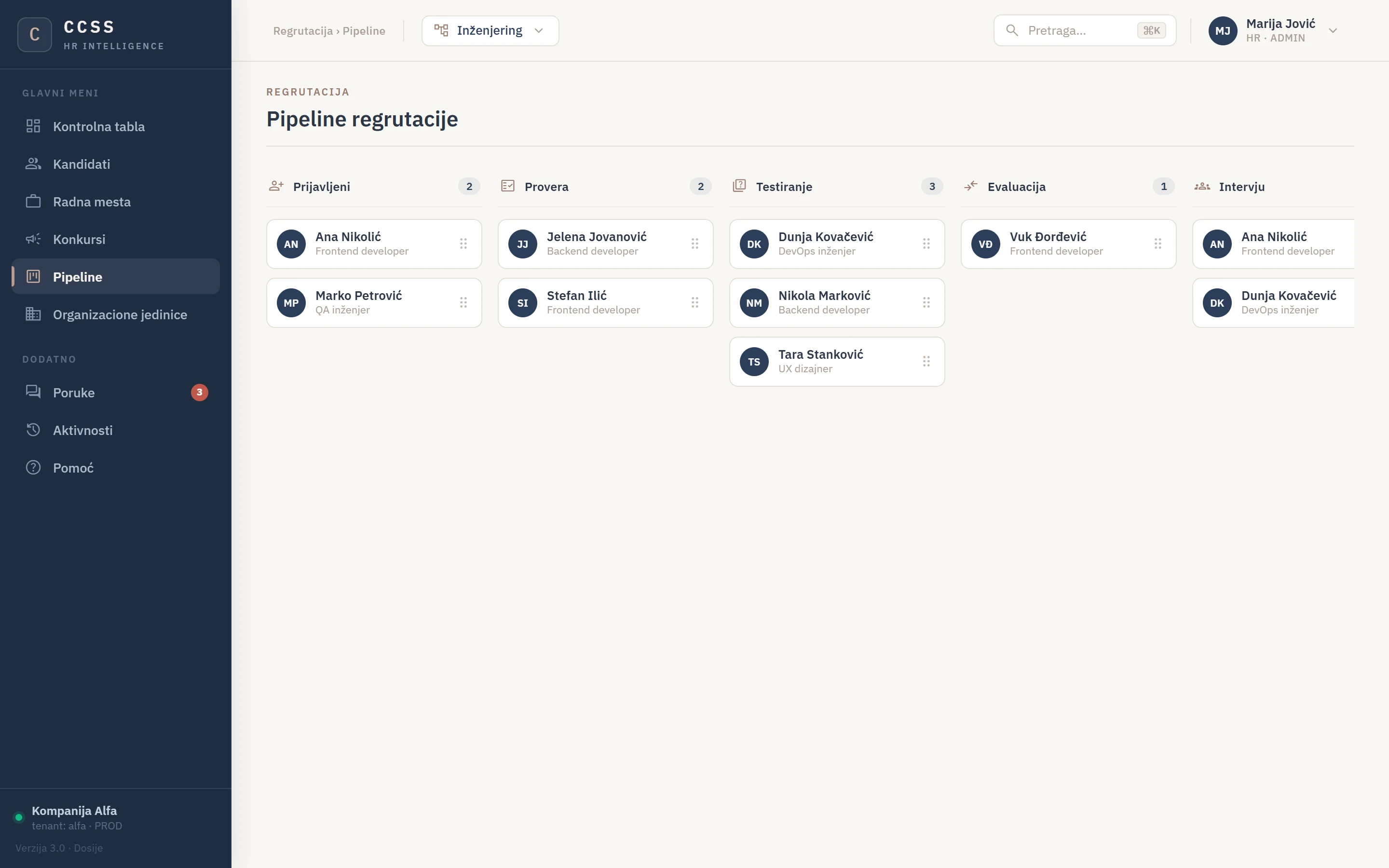
Candidates move through stages: applied, screening, testing, evaluation, interview. Who is where is visible at a glance.
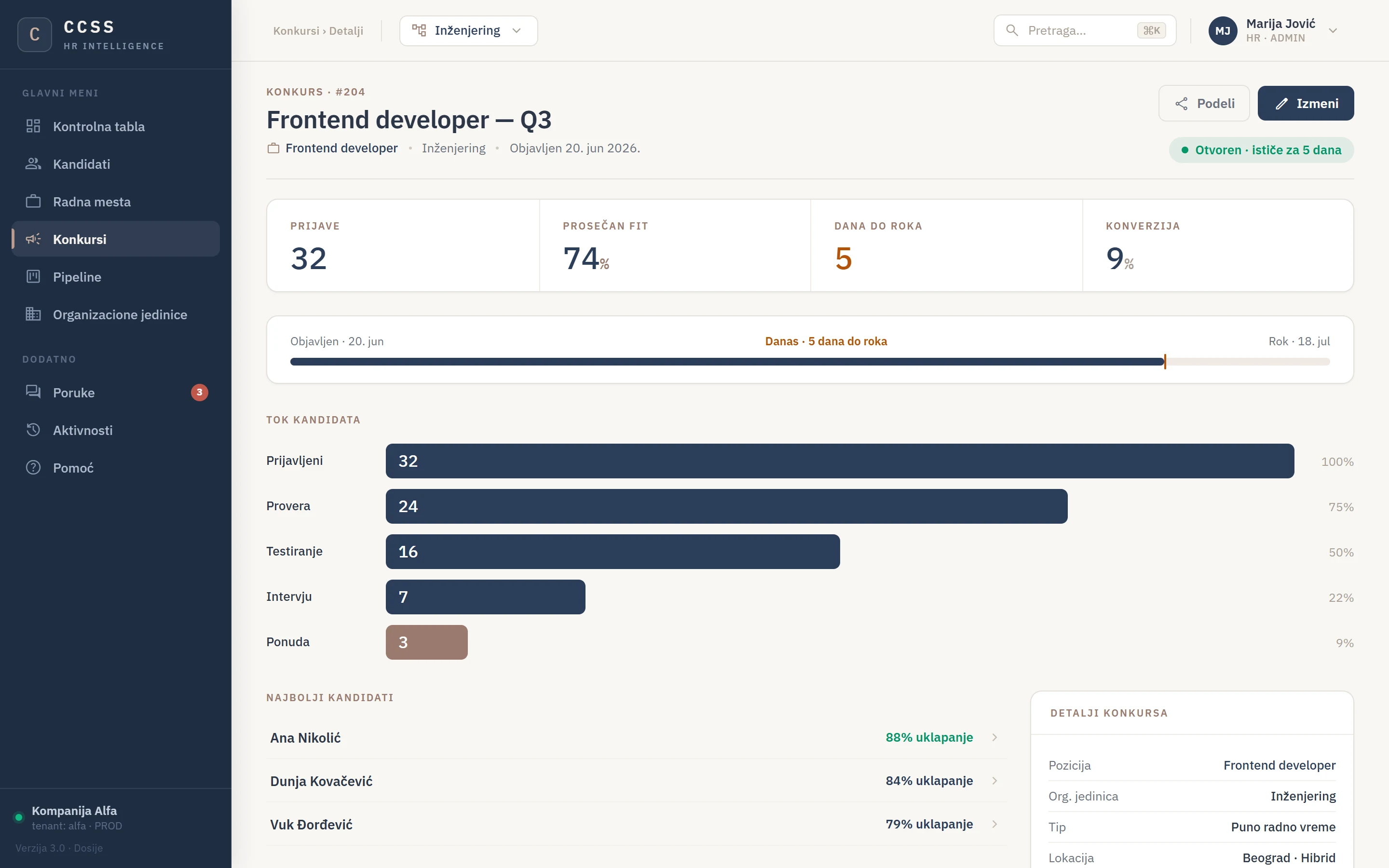
One role can carry several vacancies - each with its own candidates and deadlines, while the competency profile stays the same.
Next step
You have seen the panel. Want to see it with your candidates?
Bring one open position - in 30 minutes we show how it looks on your own example.
Pricing is public - packages from 495 EUR, from 89 EUR per unlocked candidate.